• EN
  • FR
  • ZH
  • DE
  • PT
  • IT
IOT See the difference
  • EN
  • FR
  • ZH
  • DE
  • PT
  • IT
  • Discover our lenses
    • Endless AI (New)
    • Progressive solutions
      • Camber Steady Plus Progressive
      • Endless Steady Progressive
      • Essential Steady Progressive
      • Endless Drive Progressive
      • Endless Sport Progressive
      • Endless Pilot Progressive
    • Occupational solutions
      • Endless Office Occupational
    • Bifocal solutions
      • Endless Bifocal
    • Single vision solutions
      • Endless Single Vision
      • Endless Anti-fatigue Single Vision
      • Endless Drive Single Vision
    • MyoLess
    • Neochromes
      • Neochromes Experience
      • Neochromes
      • Neochromes with Camber Technology
      • Neochromes Dark
      • Instructions for Use
    • Lens comparisons
  • Technologies
    • Camber Technology
    • IOT Digital Ray Path 2 Technology
    • Steady Methodology
    • Steady Plus Methodology
  • Services
    • IOT Business Consulting
    • IOT Technical Services
    • IOT Marketing Services
    • IOT Client Hub
    • IOT Solutions
  • Blog
  • Resource Hub
  • About IOT
    • Our company
    • IOT Intelligence
      • Our innovation ecosystem
      • Our innovation methodology
      • IOT Freeform Designer
      • Intelligent technologies
    • The IOT Experience
    • Innovation as service
    • IOT Events
    • Projects and Collaborations
    • IOT Ethics and Transparency
  • Contact us
    • Contact sales
    • Careers
  • Visit light-form.com
  • Discover our lenses
    • Endless AI (New)
    • Progressive solutions
      • Camber Steady Plus Progressive
      • Endless Steady Progressive
      • Essential Steady Progressive
      • Endless Drive Progressive
      • Endless Sport Progressive
      • Endless Pilot Progressive
    • Occupational solutions
      • Endless Office Occupational
    • Bifocal solutions
      • Endless Bifocal
    • Single vision solutions
      • Endless Single Vision
      • Endless Anti-fatigue Single Vision
      • Endless Drive Single Vision
    • MyoLess
    • Neochromes
      • Neochromes Experience
      • Neochromes
      • Neochromes with Camber Technology
      • Neochromes Dark
      • Instructions for Use
    • Lens comparisons
  • Technologies
    • Camber Technology
    • IOT Digital Ray Path 2 Technology
    • Steady Methodology
    • Steady Plus Methodology
  • Services
    • IOT Business Consulting
    • IOT Technical Services
    • IOT Marketing Services
    • IOT Client Hub
    • IOT Solutions
  • Blog
  • Resource Hub
  • About IOT
    • Our company
    • IOT Intelligence
      • Our innovation ecosystem
      • Our innovation methodology
      • IOT Freeform Designer
      • Intelligent technologies
    • The IOT Experience
    • Innovation as service
    • IOT Events
    • Projects and Collaborations
    • IOT Ethics and Transparency
  • Contact us
    • Contact sales
    • Careers
  • Visit light-form.com

Back to Blog

Understanding Computer Vision Syndrome: A Guide to Choosing Lenses to Manage Digital Eye Strain

Understanding Computer Vision Syndrome: A Guide to Choosing Lenses to Manage Digital Eye Strain

Published 14 abr 2025 | 9 min
Category ECP Tips
Author
Eluned "Lil" Creighton-Sims
Education and Professional Development Manager

  • What is computer vision syndrome?
  • Causes of computer vision syndrome
  • Common symptoms of computer vision syndrome
  • Treatment and management of computer vision syndrome
  • Best types of lenses for computer vision syndrome
  • 1. Single-vision computer lenses
  • 2. Anti-fatigue lenses
  • 3. Computer progressive lenses
  • 4. Advanced coatings and treatments
  • Tips for prescribing computer screen lenses
  • 1. Accurate measurements and patient assessment
  • 2. Lifestyle considerations
  • 3. Education patients on proper use
  • Lens innovation for computer vision syndrome
Understanding Computer Vision Syndrome: A Guide to Choosing Lenses to Manage Digital Eye Strain

Understanding Computer Vision Syndrome: A Guide to Choosing Lenses to Manage Digital Eye Strain

Digital screens like computers, smartphones, tablets, and wearable devices enhance communication and productivity but also present a new challenge for eye care professionals (ECPs): addressing the visual demands of patients who spend hours focused on screens.

Screens expose users to extended near and intermediate-range visual tasks. As a result, many people experience various vision-related issues called computer vision syndrome (CVS), also known as digital eye strain (DES). Research shows that 50% or more of digital device users experience symptoms of DES (Moore et al., 2021).

Understanding the complexities of this condition and selecting appropriate lens solutions requires a nuanced approach that considers both the physiological mechanisms of eye strain and the latest technological advances in lens design.

What is computer vision syndrome?

Computer vision syndrome (CVS), or digital eye strain, refers to a range of eye and vision-related issues that stem from prolonged digital device usage. Unlike reading printed text, viewing digital screens requires the eyes to constantly adjust to pixelated images, screen glare, and blue light emissions. This continuous adjustment overworks the ciliary muscles that help the eyes focus.

Beyond muscle strain, prolonged screen use can also affect the eyes' tear film, leading to dryness and discomfort similar to dry eye disease. Additionally, staring at screens for long periods can temporarily affect focus, causing short-term nearsightedness.

Over time, excessive strain can lead to eye fatigue, difficulty focusing, and visual discomfort. If left unaddressed, CVS can contribute to long-term vision issues, making regular eye care and proper screen habits essential for maintaining eye health.

Causes of computer vision syndrome

Several factors contribute to computer vision syndrome:

  • Screen time: More hours spent in front of screens increases the risk and severity of CVS. Individuals using multiple digital devices simultaneously experience higher rates of DES symptoms (Moore et al., 2021).
  • Viewing distance and angle: Poorly set up workstations often force unnatural body and eye positions. Individuals who maintain poor ergonomic habits during digital device use experience significantly higher rates of headaches and musculoskeletal discomfort (Moore et al., 2021).
  • Glare and blue light exposure: Blue-violet light from digital screens and improper lighting can cause glare and eye strain. While blue light filtering lenses have mixed results in research, some individuals report reduced symptoms when using them. Newer research suggests that environmental lighting adjustments may play a more significant role in reducing glare-related DES than blue light filtering alone (Sheppard & Wolffsohn, 2018).
  • Uncorrected visual problems: Outdated or inaccurate prescriptions can exacerbate symptoms

Common symptoms of computer vision syndrome

Symptoms of CVS can vary, but they typically include:

  • Eyestrain: A general feeling of fatigue in or around the eyes
  • Headaches: Often stemming from squinting, over-accommodation, or postural stress
  • Blurred vision: Difficulty maintaining clarity when switching between distances, especially after hours of screen use
  • Accommodative dysfunction: Blurred vision at varying distances that remains even when not viewing digital screens
  • Dry eyes: Reduced blink rate leads to dryness and irritation. Contact lens users report higher rates of DES symptoms due to increased tear film evaporation and reduced corneal hydration during screen use (Sheppard & Wolffsohn, 2018).
  • Neck and shoulder pain: Typically caused by poor posture while using digital devices. Incorrect monitor height and viewing distance are key contributors to neck strain and associated discomfort.

Treatment and management of computer vision syndrome

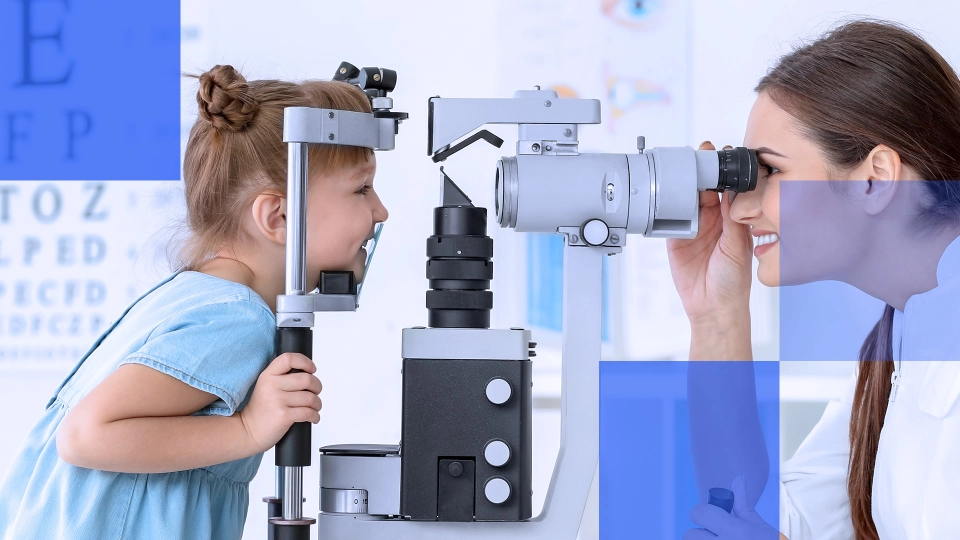
The first step in treating computer vision syndrome is a comprehensive eye examination to diagnose specific vision issues. An eye care professional may assess accommodative facility (the eye’s ability to shift focus), vergence ranges (eye coordination at different distances), and the patient's digital device usage habits, including screen time and working distances.

Using validated symptom screening tools such as the Computer Vision Syndrome Questionnaire (CVS-Q) helps evaluate DES symptoms effectively. ECPs can correct CVS by making environmental adjustment recommendations and customizing the patient’s eyewear to reduce strain.

Environmental adjustments

  1. Proper lighting: Reducing overhead glare and using task lighting at the correct angle can reduce visual strain
  2. Screen positioning: Positioning the monitor so its center is about 10–20 degrees below eye level helps maintain a neutral head and neck posture
  3. Anti-glare measures: Adding screen filters or adjusting ambient lighting is often a first step in controlling glare
  4. Ergonomic setup: Adjusting chair height, desk level, and keyboard placement to minimize awkward posture, neck leaning, and head tilting, reducing shoulder and neck pain
  5. Adjustments to indoor environments: Increasing ambient humidity and optimizing air circulation in indoor environments to help reduce dry eye symptoms

Optical and lifestyle adjustments

  1. Prescription adjustment: Prescribing lenses designed for near and intermediate work and a patient’s natural adaptive ability to reduce blur and squinting
  2. Anti-reflective coatings: Applying photochromic lens coating to block UV and blue light, reducing eye strain and tiredness when viewing screens
  3. Binocular vision training programs: Implementing vergence and accommodative therapy to improve eye coordination and reduce DES-related symptoms
  4. Blink more often: Encouraging patients to blink often can improve tear distribution and combat tiredness
  5. Frequent breaks: Implementing the “20-20-20 rule” (look 20 feet away for 20 seconds every 20 minutes) to reduce accommodation stress

Best types of lenses for computer vision syndrome

The right choice for a computer vision syndrome lens depends on a patient’s prescription, work habits, and comfort requirements.

1. Single-vision computer lenses

Single-vision computer lenses optimize one visual distance, most often the intermediate range, which is also the average computer screen distance. They are an effective option for individuals who do not need multifocal correction or who have separate reading and distance prescriptions.

Features

  • Focused power: Single-vision computer lenses reduce visual fatigue by generating visual clarity at the exact distance of a computer screen.
  • Simplicity: Adaption to a single-vision is easier than with multi-focal designs, as well as typically more budget-friendly
  • Correct for one task: These lenses lack the flexibility to seamlessly switch between near and intermediate tasks, often required in multitasking office environments.

2. Anti-fatigue lenses

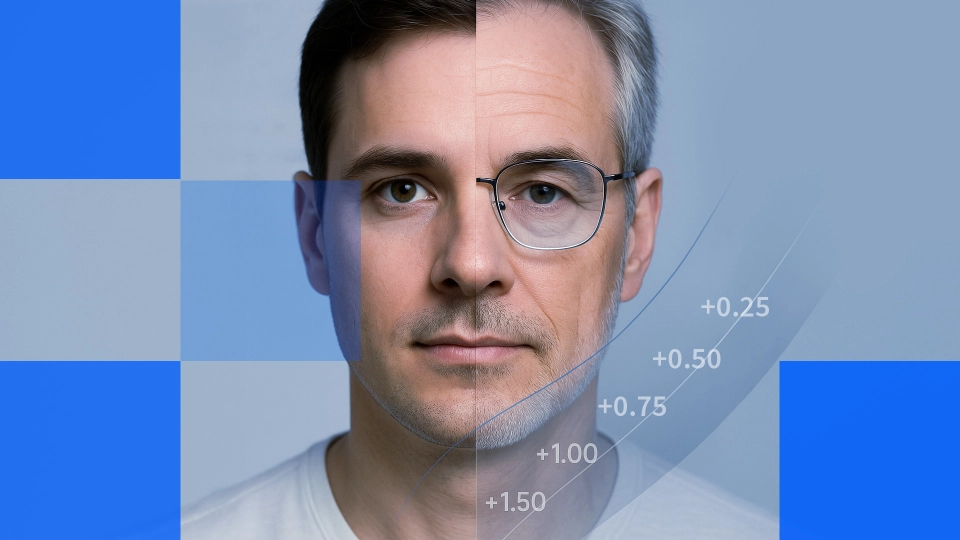
Anti-fatigue lenses reduce eye strain for younger wearers and early presbyopes using computers, with a concentrated power boost in the lower lens area. They are great for eliminating visual fatigue at an intermediate distance, while the bottom power add would assist a patient when they have to look away from the computer to focus on close-up tasks.

Features

  • Flexibility: Anti-fatigue lenses provide clarity and relief to patients who frequently need visual correction at near distances, which is not possible with single-vision lenses. However, these patients do not yet need the multifocal corrections provided by progressives.
  • Adaption: Anti-fatigue lenses have a quicker adaption period than progressives.

3. Computer progressive lenses

Computer progressive lenses, also called occupational progressives, provide multiple corrections in one lens, emphasizing near and intermediate ranges (as opposed to the more common design that emphasizes the distance range at the top of the lens). These multifocal options provide balanced correction for professionals who alternate between computer work and activities at other distances, such as reading or looking around a meeting room.

Features:

  • Extended near vision: Occupational lenses can feature a near zone that extends higher into the lens, enhancing reading comfort.
  • Intermediate priority: A large intermediate channel reduces peripheral distortion and repeated head movements if a patient's daily tasks revolve around screen-based activities.
  • Occasional distance vision: Although not primarily designed for distance tasks, these lenses still incorporate some degree of distance vision near the upper portion of the lens, providing at least minimal clarity for short-range distances in the room.

4. Advanced coatings and treatments

Regardless of the lens design, specialized coatings and treatments can enhance comfort for individuals with CVS. Most coatings and treatments function with any lens designed for digital screen viewing, furthering the relief proper eye correction provides.

Features:

  • Blue light filtering: High-energy visible (HEV) light emitted from digital screens may contribute to eye strain. Lenses with a blue light filter can block the transmission of blue light to the visual system, negating potential adverse effects.
  • Anti-reflective (AR) coating: AR coatings cut down on reflections from overhead lighting and digital screens, which improves visual clarity and comfort.

The benefits of these computer-specific lenses are customized power distribution for specific working distances, reduced peripheral distortion compared to traditional progressives, and extended intermediate zones optimized for monitoring viewing distances. Choosing the correct lens for each patient can help alleviate CVS symptoms by:

  • Reducing accommodative demand through optimized power distribution
  • Minimizing head movement requirements with wider viewing zones
  • Supporting natural convergence patterns during screen viewing
  • Maintaining proper working posture through improved optical zones

Tips for prescribing computer screen lenses

Prescribing eyewear for extended digital device use requires a methodical, patient-centered approach. Below are tips outlining practical guidelines and key considerations to ensure visual outcomes.

1. Accurate measurements and patient assessment

The success of any lens design hinges on accurate measurements. Hence, carefully measure:

  • Pupil heights: Even slight variances can impact how comfortably patients access the intermediate zone.
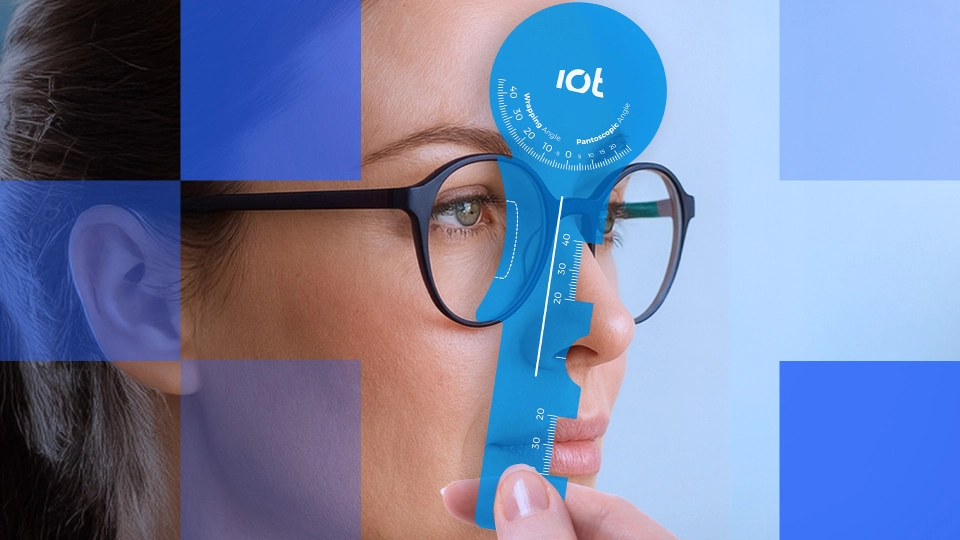
  • Vertex distance and pantoscopic tilt: Ensure the final eyewear aligns with the prescribed viewing angles for near and intermediate distances.
  • Computer ergonomics: Note the patient’s typical screen distance and the height at which the monitor sits.

2. Lifestyle considerations

Patients often switch between digital screens, smartphones, printed documents, and in-person interactions. Taking a complete lifestyle inventory enables ECPs to recommend the most fitting lens design and coatings.

  • Type of work: A software developer staring at code all day has different needs than an accountant who switches between paperwork and computer spreadsheets.
  • Frequency of breaks: Patients who rarely take breaks might benefit more from single-vision lenses than a design with an add power.
  • Office layout: The ergonomics of the workspace, including lighting conditions, can affect which lens treatments and coatings are most beneficial.

3. Education patients on proper use

A perfect prescription and lens design can fall short if patients use them incorrectly. Clear instructions on how and when to wear computer-specific glasses and reminders about lifestyle and behavior recommendations can enhance patient satisfaction and improve clinical outcomes.

  • Detailed wear instructions: Encourage patients to use these specialized lenses strictly for desk work or computer tasks. If they have standard progressives or single-vision distance glasses, they should switch to their computer glasses when engaging in prolonged near or intermediate tasks.
  • Routine check-ins: A follow-up after a few weeks of use can identify any unresolved issues or prescription refinements needed.

Computer vision syndrome is a modern challenge that reflects our pervasive digital lifestyles. Thankfully, technology has risen to meet the visual obstacles that come with the territory. From occupational lenses to freeform single vision, there is a broad spectrum of tools to help patients cope with CVS.

Lens innovation for computer vision syndrome

IOT employs next-generation freeform design and precise optical modeling to address the specific challenges posed by computer vision syndrome. By customizing each lens to match a wearer’s unique workspace setup, viewing distances, and visual habits, IOT solutions deliver enhanced clarity and reduce the strain typically associated with prolonged screen usage. 

Backed by a commitment to ongoing research and development, IOT equips eye care professionals and labs with lens designs to provide patient-focused solutions—ensuring comfortable, efficient visual performance in today’s screen-driven world.

Contact us to learn more about our occupational and digital device lenses and how they can enhance your portfolio.

References

Moore, P. A., Wolffsohn, J. S., & Sheppard, A. L. (2021). Attitudes of optometrists in the UK and Ireland to Digital Eye Strain and approaches to assessment and management. Ophthalmic and Physiologic Optics, 41(6), 1165–1175. https://doi.org/10.1111/opo.12887
Sheppard, A. L., & Wolffsohn, J. S. (2018). Digital eye strain: prevalence, measurement, and amelioration. BMJ Open Ophthalmology, 3(1), e000146. https://doi.org/10.1136/bmjophth-2018-000146

You may also like:

  • 8 Types of Progressive Lenses
  • What is Myopia and Can Glasses Correct It?

Back to Blog

About the Authors

Eluned "Lil" Creighton-Sims
Education and Professional Development Manager

Eluned "Lil" Creighton-Sims is the Education and Professional Development Manager at IOT, where she leads the development of training programs for customers and eye care professionals. With a Level 6 Diploma in Ophthalmic Lenses & Dispensing, she brings a deep understanding of optics and practical expertise to her role.

At IOT, Lil is responsible for designing and delivering comprehensive educational initiatives that enhance industry knowledge and support professional growth. She works closely with clients to ensure they have access to cutting-edge training on lens technology, product innovation, and optical best practices. Her ability to translate complex optical concepts into engaging, accessible learning experiences makes her an invaluable resource for both ECPs and business partners.

Lil’s dedication to education, professional development, and customer success plays a pivotal role in strengthening IOT’s global reputation as a leader in optical innovation. Her work not only supports clients in achieving excellence but also contributes to the ongoing advancement of the optical industry.

  • Linkedin
Read more

Related items

How to Address Light Discomfort & Sensitivity with Intelligent Lens Solutions

How to Address Light Discomfort & Sensitivity with Intelligent Lens Solutions

2 feb 2026 | Amelia Gonzalez

How Vertex Distance, Pantoscopic Tilt, and Wrap Angle Affect Prescription Accuracy

How Vertex Distance, Pantoscopic Tilt, and Wrap Angle Affect Prescription Accuracy

3 dic 2025 | Eluned "Lil" Creighton-Sims

Detecting Binocular Vision Issues and Managing Them with Prism Correction

Detecting Binocular Vision Issues and Managing Them with Prism Correction

19 nov 2025 | Pablo Concepcion-Grande

Add Power by Age: A Guide to Understanding Presbyopic Prescription Changes

Add Power by Age: A Guide to Understanding Presbyopic Prescription Changes

5 ago 2025 | Eluned "Lil" Creighton-Sims

Understanding Computer Vision Syndrome: A Guide to Choosing Lenses to Manage Digital Eye Strain

Understanding Computer Vision Syndrome: A Guide to Choosing Lenses to Manage Digital Eye Strain

14 abr 2025 | Eluned "Lil" Creighton-Sims

What is Myopia and Can Glasses Correct It?

What is Myopia and Can Glasses Correct It?

21 ago 2024 | Clara Benedí García

Sobre Nosotros
  • IOT en cifras
  • Los comienzos
  • Nuestro ADN
  • Nuestros cuatro pilares
  • Nuestros valores
CONTÁCTENOS
  • Contacta con ventas
  • Trabaja con nosotros
IOT Intelligence
  • Nuestro ecosistema de innovación
  • Nuestra metodología de innovación
  • IOT Freeform Designer
  • Tecnologías inteligentes
SERVICIOS PARA TU NEGOCIO
  • Full-Service Support
  • La experiencia IOT
  • IOT Business Consulting
  • IOT Technical Services
  • IOT Marketing Services
  • IOT Client Hub
LO QUE HACEMOS
  • Innovación como servicio
  • Nuestras tecnologías
  • Soluciones para la presbicia
  • Soluciones en monofocales
  • Neochromes
  • Myopia management solutions
  • Custom lenses
  • Computer lenses
  • Comparativa de lentes
  • Soluciones
PRODUCTOS DESTACADOS
  • Neochromes with Camber
  • MyoLess
  • Camber Steady Plus Progressive
  • Endless Steady Progressive
  • Essential Steady Progressive
  • Endless Office Ocupational
  • Endless Drive Progressive
  • Endless Sport Progressive
  • Endless Single Vision
  • Endless Anti-fatigue Vision
Materiales
  • Trivex
  • CR-39
  • Policarbonato
  • Alto Índice
Our Brand Sites
  • light-form.com
  • neochromes.com
Política de Cookies Política de privacidad Aviso Legal Política de Seguridad Canal de Denuncias ® Copyright 2026
Follow us on Linkedin Follow us on Facebook Follow us on Youtube Follow us on Instagram
Cookies

¿Aceptas nuestras cookies y política de privacidad?

Tu privacidad es importante para nosotros. Por ello te informamos que utilizamos cookies propias y de terceros para realizar análisis de uso y medición de nuestra página web con el fin de personalizar contenidos, así como proporcionar funcionalidades a las redes sociales o analizar nuestro tráfico. Para continuar acepta o modifica la configuración de nuestras cookies.

Rechazar Configurar cookies Aceptar
Política de Cookies
  • Tu privacidad
  • Cookies estrictamente necesarias
  • Cookies de preferencias o personalización
  • Cookies de análisis o medición
  • Política de Cookies

Tu privacidad es importante para nosotros

Las cookies son pequeños archivos de texto almacenados en tu ordenador cuando visitas nuestra web. Utilizamos cookies para mejorar tu experiencia en nuestro sitio web (por ejemplo, para recordar tu detalles de acceso).

Puedes cambiar tus preferencias y rechazar que algunos tipos de cookies sean almacenados en tu ordenador mientras estás navegando en nuestra web. Puedes cancelar cualquier cookie ya almacenada en tu ordenador, pero recuerda que cancelar los cookies puede impedirte utilizar algunas partes de nuestra web.

Cookies estrictamente necesarias

Estas cookies son esenciales para proveerte los servicios disponibles en nuestra web y para permitirte utilizar algunas características de nuestra web.


Cookies de preferencias o personalización

Estas cookies son utilizadas para ofrecerte una experiencia más personalizada y para recordar tus elecciones en nuestro sitio web.

Por ejemplo, podemos utilizar cookies de funcionalidad para recordar tu preferencias de idioma o tus detalles de acceso.

Cookies de análisis o medición

Estas cookies son utilizadas para recopilar información para analizar el tráfico en nuestra web y la forma en que los usuarios utilizan nuestra web.

Por ejemplo, estas cookies pueden recopilar datos como cuanto tiempo llevas navegado en nuestro sitio web o que páginas visitas, lo que nos ayuda a comprender cómo podemos mejorar nuestra web.

La información recopilada con estas cookies de análisis o medición no identifica a ningún visitante individual.

Política de Cookies

Para cumplir con la Ley 34/2002 de 11 de Julio, de Servicios de la Sociedad de la Información y el Comercio Electrónico (LSSICE), se informa de los siguientes aspectos legales:


PROPIEDAD DEL SITIO WEB

Responsable: INDIZEN OPTICAL TECHNOLOGIES SL - CIF B84465921- (En adelante IOT)
Domicilio social: C/Suero de Quiñones 34-36. 28002, Madrid (Madrid), España
Dirección: C/Suero de Quiñones 34-36. 28002, Madrid (Madrid), España
Contacto: Tel. 91 833 3786 - Email: proteccion_datos@iot.es
Datos de registro: Hoja M387390, folio 134, tomo 21750.
Actividad: Innovación en lentes


INFORMACIÓN Y TERMINOLOGÍAS ¿QUÉ SON LAS COOKIES?

Las cookies son archivos pequeños que las páginas web, tiendas online, intranets, plataformas online o similares, almacenan en el navegador del usuario que las visita y resultan necesarios para aportar a la navegación web innumerables ventajas en la prestación de servicios interactivos.

La siguiente información de los tipos posibles de cookies ayuda a comprender mejor las funciones que hacen posible:

  • Cookies de sesión: son cookies temporales que permanecen en el espacio de cookies de su equipo hasta que cierra el navegador, por lo que ninguna queda registrada en el disco del usuario. La información obtenida por medio de estas cookies sirve para hacer posible la gestión operativa con cada uno de los usuarios que está accediendo de forma simultánea a la web.
  • Cookies persistentes: son cookies que permanecen almacenadas en el espacio de cookies de su equipo una vez cerrado el navegador, y que volverá a consultar dicha página web la próxima vez que acceda a ella para recordar información que facilite la navegación (acceder directamente al servicio sin necesidad de hacer el proceso de login) o la prestación de un servicio comercial (ofrecer aquellos productos o servicios relacionados con anteriores visitas).

Las cookies intercambiadas al navegar por una página web pueden ser:

  • Cookies de origen o propias: son cookies generadas por la propia página web que se está visitando.
  • Cookies de terceros: son cookies que se reciben al navegar por esa página web, pero que han sido generadas por un tercer servicio que se encuentra hospedado en ella. Un ejemplo puede ser la cookie empleada por un anuncio o banner de publicidad que se encuentra en la página web que visitamos. Otro puede ser la cookie empleada por un contador de visitantes contratado por la página web que visitamos.

Las cookies pueden ser usadas para:

  • Fines técnicos: son las denominadas también “estrictamente necesarias”.  Permiten al  usuario  la  navegación a  través de una   página  web, plataforma o aplicación y la utilización de las diferentes opciones o servicios que en ella existan como, por  ejemplo, controlar el tráfico  y la comunicación de datos, identificar  la sesión, acceder a partes de acceso restringido, recordar los  elementos  que integran un pedido, realizar el proceso de compra de un pedido, realizar la solicitud de inscripción o participación en un evento, utilizar elementos de seguridad durante la navegación, almacenar contenidos para la difusión de videos o sonido o compartir contenidos a través de redes sociales.
  • Personalización: hacen posible que cada usuario pueda configurar aspectos como el lenguaje en el que desea ver la página web, formatos de visualización, etc.
  • Análisis o rendimiento: permiten medir el número de visitas y criterios de navegación de diferentes áreas de la web, aplicación o plataforma y nos permite elaborar perfiles de navegación de los usuarios de dichos sitios, aplicaciones y plataformas, con el fin de introducir mejoras en función del análisis de los datos de uso recabados que hacen los usuarios del servicio.
  • Publicidad: permiten implementar parámetros de eficiencia en la publicidad ofrecida en las páginas web.
  • Publicidad comportamental: permiten implementar parámetros de eficiencia en la publicidad ofrecida en las páginas web, basados en información sobre el comportamiento de los usuarios obtenido a través de la observación continuada de sus hábitos de navegación, lo que permite desarrollar un perfil específico para mostrar publicidad en función del mismo.


DETALLE DE COOKIES UTILIZADAS

El sitio Web de IOT utiliza cookies para el correcto funcionamiento y visualización de los sitios Web por parte del usuario, así como la recogida de datos estadísticos y analíticos sobre la navegación de los usuarios. IOT utiliza las siguientes cookies:
 

ANALÍTICAS Google Tag Manager

Descripción:
Estas Cookies recopilan información de tu experiencia de navegación en nuestros portales web de forma totalmente anónima. - Podemos contabilizar el número de visitantes de la página o los contenidos más vistos. 

Usos:

  • Podemos saber si el usuario que está accediendo es nuevo o repite visita.
  • Esa información puede ayudarnos a mejorar la navegación y darte un mejor servicio.


REDES SOCIALES

Descripción:
Las Cookies de redes sociales son utilizadas para unir la web con el perfil en la mencionada red social.

Usos:

  • Puedes hacer uso de este botón para redirigirte al perfil de IOT en LinkedIn, YouTube, Instagram y Facebook.


SERVICIOS DE TERCEROS

Adicionalmente, IOT tiene presencia en portales y servicios de terceros para los que, si desea conocer las condiciones de privacidad y uso de cookies, deberán consultarse las políticas proporcionadas por los mismos:

  • Facebook
  • Linkedin
  • Instagram
  • YouTube


ACEPTACIÓN POLÍTICA DE COOKIES

IOT muestra información sobre su Política de Cookies en la parte inferior de cualquier página del sitio Web con cada inicio de sesión con el objeto de que usted sea consciente.

Ante esta información es posible llevar a cabo las siguientes acciones:

  • Aceptar cookies: No se volverá a visualizar este aviso al acceder a cualquier página del portal durante la presente sesión
  • Rechazar cookies: No se volverá a visualizar este aviso al acceder a cualquier página del portal durante la presente sesión
  • Configuración de las cookies: Podrá obtener más información sobre cómo son las cookies, conocer la Política de Cookies de IOT y modificar la configuración para restringir o bloquear las cookies de IOT en cualquier momento. En el caso de restringir o bloquear las cookies puede ver reducidas las funcionalidades de la Web.


CÓMO MODIFICAR LA CONFIGURACIÓN DE LAS COOKIES

Usted puede restringir, bloquear o borrar las cookies de IOT o cualquier otra página web, utilizando su navegador. En cada navegador la operativa es diferente, la función de "Ayuda" le mostrará cómo hacerlo:

  • Internet Explorer
  • FireFox
  • Chrome
  • Safari
  • Opera


ACTUALIZACIÓN DE LA POLÍTICA DE COOKIES

Es posible que actualicemos la Política de Cookies de IOT, por ello le recomendamos revisar esta política cada vez que acceda a http://www.iotlenses.com con el objetivo de estar adecuadamente informado sobre cómo y para qué usamos las cookies.


Última actualización: 22 de diciembre de 2021